
Brand kit
Help yourself
to the logo.
Files and words for press, partners and creators. Take one file at a time, or everything on this page as one ZIP.
Logos
Transparent PNGs, big enough for print. Click a tile to download it: ink for light backgrounds, cream for dark ones.
Horizontal logo
PNG · 960 × 320The usual choice. Headers, footers, anywhere wide.
Stacked logo
PNG · 1024 × 1200Square spaces and posters.
Wordmark
PNG · 724 × 204Just the name, for tight spaces. Black is for one-color print.
Symbol
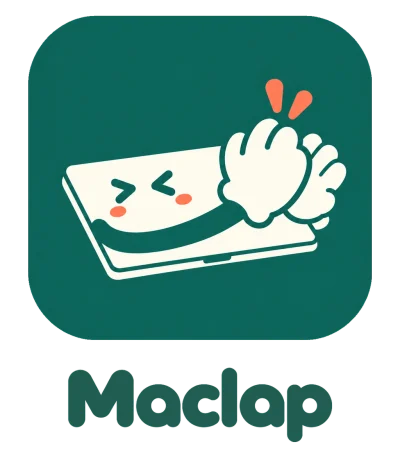
PNG · 940 × 887The logo without the name. Avatars and stickers.
Share card
PNG · 1200 × 630Link previews and article headers.
App icon
PNG · 1024 × 1024Maclap in the Dock, in each look macOS 26 offers. Tinted follows the color the Mac is set to; here it is the brand teal.












Colors
Teal ink on warm paper, with coral for the clap. Click a color to copy its hex code.
Type
- Display
Bagel Fat One
Headlines, sound names and big numbers. Free from Google Fonts (SIL Open Font License).
Get it from Google Fonts - Text
System UI
Body text and labels: San Francisco on a Mac.
- Editorial
Georgia
Article titles and quotes.
Words
Ready to paste, as they are.
- Name
Maclap
One word, capital M only. Not MacLap or Mac Lap.
- Tagline
A tiny shutdown ritual for your MacBook.
Where people meet Maclap for the first time, follow it with the one-liner.
- One-liner
Close the lid and Maclap plays a sound.
- Short description
Maclap is a free app for MacBook that plays a sound when you close the lid. A pop, a click, a meow to end the day.
- Long description
Maclap is an app for MacBook that plays a sound when you close the lid: a pop, a click or a meow instead of silence, a little clap for calling it a day. It's free, with 5 sounds and no account. A one-time $4.99 Pro unlock adds 9 more sounds, a sound when you open the lid, and your own sounds. Download it at maclap.app.
- Social bio
A tiny shutdown ritual for your MacBook. Close the lid and Maclap plays a sound. maclap.app
- Video caption
My new shutdown ritual: a little sound when I close my MacBook for the day. It's Maclap, at maclap.app #maclap
Posting a video? At 2,000 views we refund your Pro purchase: maclap.app/free.
- Facts
- Website
- maclap.app
- Runs on
- Any MacBook with macOS 13.6 or later
- Price
- Free. Pro is a one-time $4.99.
- Made by
- Maclap.app
- Contact
- hello@maclap.app
In use
The files and words above, where people will see them.




A few rules
Do. Ink on light backgrounds.
Do. Cream on dark backgrounds.
Do. Leave clear space: an eighth of the symbol's width around a lockup, a third of its height around the wordmark.
Do. Keep it readable: the horizontal logo at least 40 px tall, the wordmark 100 px wide, the stacked logo 160 px wide.
Don't. Stretch or squash it.
Don't. Recolor the mascot.
Don't. Tilt or rotate it.
Don't. Add shadows, outlines or glows.
Don't. Set it on a busy background.
Don't. Retype the name in a font. The wordmark is drawn: use the files.
Don't. Crop off the hands or the two coral marks.
Don't. Put a box around the rounded symbol.


Talking about Maclap
- Do: Call Maclap "an app for MacBook".
- Don't: Say Maclap listens for clapping. The clap is the mascot cheering the end of the day.
- Don't: Promise the Mac sleeps the instant the lid shuts. The sound plays first, then it sleeps as usual.
Need something else?
The logo is drawn artwork, so it comes as large PNGs rather than vector files. For another size or a screenshot, email us and say what it's for.
hello@maclap.app